
Ramp
Ramp Business CorporationFinance
4.7528.00 Reviews
- Version
- 0.160.2
- Installs
- 100.00K
- Age Rating
- Everyone
Screenshots

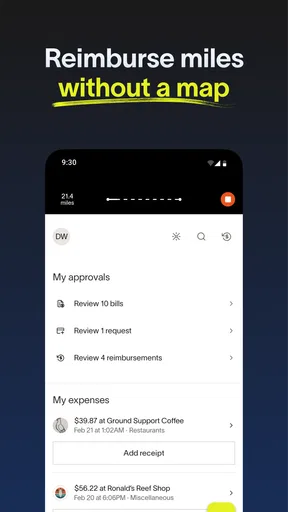
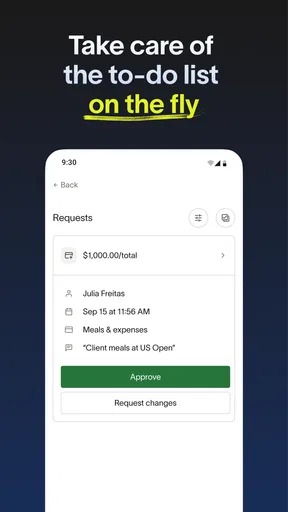
Our Review of Ramp
 Analysis by Appyee
I approached Ramp as a finance app for people who want less time spent chasing business spending. Its central promise is simple: make company expenses easier to see and manage so daily decisions do not get buried in receipts, messages, and scattered records. That focus matters more than a long list of tools. In my experience, the app makes the most sense when a business needs a clearer spending workflow rather than another general-purpose banking app.
Ramp Business Corporation develops the app, which is available free of charge for Everyone. It belongs to the finance category, runs on devices using iOS 11 or later, and has reached over one hundred thousand installs. The current version is 0.160.2. Its average score is 4.7 from around 2.3 thousand ratings, with more than five hundred written reviews, so there is a meaningful body of user feedback behind the strong impression it makes at first glance.
Why spending visibility is the capability that matters
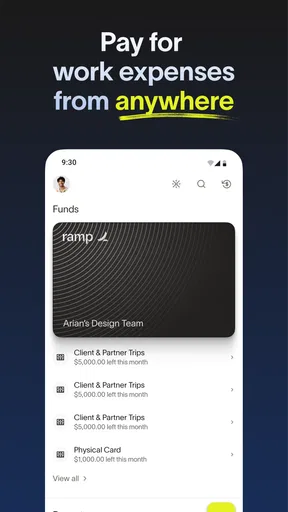
The most useful way to understand Ramp is not as a place to perform every possible money task. I see it as a control layer for business spending. That distinction is important. A personal finance app usually helps one person understand income, bills, and household purchases. Ramp is aimed at the moment when several people, projects, or responsibilities create financial movement that one person can no longer track comfortably from memory.
When spending information is organized around the business rather than around a single personal account, the practical benefit is better awareness. I can think about an expense in context: who made it, why it was made, and whether it belongs with the company activity I am reviewing. That context is more valuable than a colorful dashboard by itself because it helps turn a transaction into a decision.
The app’s store summary says, “Time is money. Save both,” but I would translate that into a more concrete daily advantage: fewer interruptions while trying to understand where company money went. The real test is not whether the opening screen looks polished. It is whether I can return to a purchase later and still understand its place in the wider spending picture.
This is also why the app is more relevant to a small business owner or team lead than to someone looking for a standard personal budget tracker. If all I need is a private record of groceries, rent, and subscriptions, a conventional banking app may be simpler. Ramp becomes more interesting when spending has to be reviewed as part of an operation.
Turning a transaction into useful context
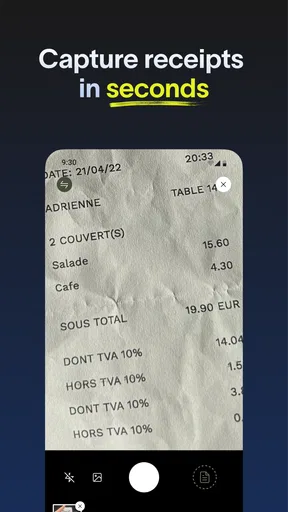
A raw charge is rarely the whole story. A manager may recognize the merchant but not the purpose, while the person who made the purchase may remember the project but forget the exact amount. A spending-focused workflow is valuable because it encourages me to connect those pieces while the information is still fresh.
One practical habit I would recommend is reviewing expenses in short sessions instead of waiting for a month-end panic. I would open the app after a busy purchasing day, separate routine items from anything that needs attention, and make a note of the unusual entries while I still remember them. That small change reduces the mental load of reconstructing events later.
Another useful insight is that visibility is not the same as control. Seeing a charge does not automatically tell me whether it was necessary, correctly assigned, or worth repeating. Ramp can support the review, but the business still needs clear internal rules. If nobody agrees on what counts as an acceptable company expense, even a well-organized app will only present the confusion more neatly.
I also found that the app’s value depends on consistency among the people using the process. If one person records context carefully and another leaves every purchase unexplained, the resulting picture becomes uneven. This is not a flaw unique to Ramp, but it is an important trade-off: a shared finance workflow only becomes reliable when the team treats it as part of normal work.
A realistic day with the app
Imagine a small creative business preparing a client project. During the day, one person pays for supplies, another handles a necessary software-related purchase, and the owner covers a travel expense. By evening, the owner wants to know whether these costs belong to the same project, whether anything looks out of place, and what should be followed up before the details fade.
In that situation, I would use Ramp as a review checkpoint rather than as something I keep open constantly. I would scan the new activity, identify the purchases that are obvious, and focus my attention on the items that need context. The important time saving comes from narrowing the review to decisions that matter instead of manually rebuilding the day from email confirmations and bank notifications.
The next morning, the same view can help separate operational spending from items that deserve a question. That distinction is subtle but useful. A finance tool should not force me to investigate every ordinary purchase with the same intensity. The best workflow lets routine items move quickly while making exceptions visible.
For a business with only a few expenses, this may sound like extra structure. For a team that regularly makes purchases on behalf of the company, it can prevent small uncertainties from accumulating. A forgotten explanation is easy to ignore today and surprisingly expensive in time when several weeks of them pile up.
Where it fits beside familiar alternatives
The usual alternative is often the business bank’s own mobile app. That option is convenient because it already shows account activity, but bank apps tend to focus on balances, transfers, and individual transactions. Ramp’s appeal is the business-spending perspective: the question is less “what is my balance?” and more “how should I understand and manage this company activity?”
Another alternative is a spreadsheet. I still think spreadsheets are excellent when a business needs a custom model, a one-off analysis, or complete control over columns and formulas. They are weaker as a daily capture habit because someone has to keep the file current, preserve the right context, and make sure several people are working from the same version.
Accounting software is a different comparison again. It is usually the better destination for formal books, reporting, and professional financial processes. Ramp should not be chosen simply because it sounds easier than accounting work. I see it as useful earlier in the workflow, where spending needs to be understood before someone turns it into a polished accounting record.
That makes the app complementary in some businesses and unnecessary in others. If the existing bank and accounting setup already gives a small team a clean way to review company spending, adding another layer may create more maintenance than value. If the current process is a mixture of screenshots, inbox searches, and memory, Ramp has a stronger case.
The best scenario for using Ramp
The strongest scenario is a growing small business where several people spend money but one or two people remain responsible for understanding it. That is the point at which informal habits start to fail. The owner may still know most purchases personally, yet the gaps become noticeable whenever work gets busy, a project changes direction, or an expense needs explanation later.
I would also consider it for a compact remote team. Distance makes casual clarification harder. In an office, someone can ask what a charge was for while walking past a desk. In a distributed team, that question can become another message to send, another thread to search, and another delay before the record is complete. A dedicated spending workflow can reduce that friction when the team actually uses it.
There is a less obvious use case too: preparing for a recurring review. Before a weekly owner check-in or a project cost discussion, I would use the app to identify exceptions rather than trying to remember every purchase. That changes the meeting from a transaction-by-transaction interrogation into a conversation about the few items that affect decisions.
For that workflow, I would set a simple rule: review new activity frequently, but reserve deeper attention for purchases that are unexpected, unclear, or connected to a changing project. This keeps the app from becoming a second full-time job. The point is not to stare at financial information; it is to make the important information easier to act on.
The friction I would consider first
The biggest limitation is that Ramp cannot create discipline on its own. A team that ignores expense context will still have incomplete information, only now it will be inside a dedicated app. Before adopting it, I would make sure everyone understands when an expense needs explanation and who is responsible for reviewing it.
There can also be a learning curve when moving away from a familiar bank app or spreadsheet. People often resist a new finance routine not because it is difficult, but because the old routine is already embedded in their day. The business should allow time to agree on a process instead of assuming that installation equals adoption.
I would be cautious if I wanted a personal budgeting tool. The app’s business orientation is its strength, but that same focus may feel unnecessary for household money. Someone comparing grocery spending, personal bills, and savings goals may be better served by an app designed around individual finances.
I would also avoid treating a high average rating as proof that every business will have the same experience. A 4.7 average is encouraging, but finance workflows are unusually dependent on company size, team habits, and existing systems. The right question is whether Ramp fits the way a particular business approves, records, and reviews spending.
Finally, I would not replace professional accounting judgment with a mobile workflow. The app can help me organize and inspect activity, but important tax, compliance, and reporting decisions still deserve appropriate professional attention. Convenience is useful only when I keep its boundaries clear.
Small workflow choices that improve the result
My first tip is to review exceptions before routine purchases. If I begin with the most ordinary activity, I may spend my attention on items that need no decision. Starting with unusual amounts, unfamiliar merchants, or project-related purchases makes the limited review time more productive.
My second tip is to establish a shared vocabulary. A team should use the same names for projects, departments, or spending purposes wherever the app allows that kind of organization. Consistent language makes later searches and reviews easier. Without it, two people may describe the same type of expense in completely different ways.
My third tip is to treat end-of-week review as a handoff, not just a cleanup task. I would note which items are complete, which require clarification, and which deserve a policy discussion. That creates a useful bridge between daily spending and management decisions, instead of leaving the app as a passive archive.
A fourth insight is to separate urgency from importance. A purchase may need quick confirmation because a project is active, while another may be important for a later budget conversation but not urgent today. Thinking this way prevents every notification or unfamiliar charge from receiving the same reaction.
Who gains the most from it
Ramp is most convincing for founders, operations leads, and small finance teams who need a shared view of business spending without building a complicated process from scratch. It is especially suitable when the company has enough activity to make manual tracking tiring, but still wants a mobile-first way to stay close to everyday purchases.
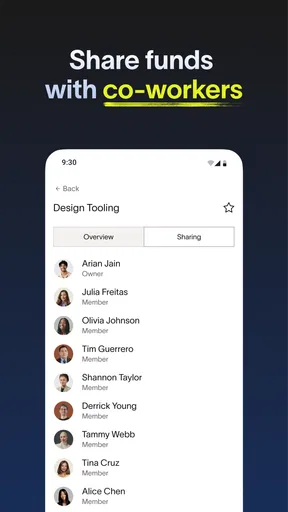
It can also help a manager who delegates buying but does not want to delegate awareness. That is an important distinction. The person making a purchase does not have to be the person making the final decision about patterns, priorities, or whether a cost should continue. A clear review workflow lets those responsibilities remain separate.
I would recommend a careful trial for teams that already feel the pain of scattered records. Before committing to it as a central process, I would define what success means: faster weekly reviews, fewer unexplained purchases, or less time spent asking where a charge belongs. A specific goal makes it easier to judge whether the app is helping rather than merely adding another screen.
On the other hand, a freelancer with very limited business activity may find the structure excessive. So may a company whose accounting platform and bank already provide a simple, well-followed expense routine. In those cases, the familiar option may win because fewer tools mean fewer places to maintain information.
My final take on the mobile experience
After looking at Ramp through the lens of its spending-visibility capability, I think its strongest contribution is practical rather than flashy. It gives business users a clearer moment to inspect company activity, decide what needs attention, and keep ordinary spending from turning into a later reconstruction exercise.
The free price makes it approachable for a business considering a new finance workflow, and the Everyone age rating keeps the app broadly accessible from a store perspective. Still, the real cost is not the download; it is the time required to create habits around it. Teams that use those habits will get more value than teams that install it and continue working from scattered messages.
My recommendation is straightforward: choose Ramp if your main problem is understanding shared business spending as it happens. Choose a personal finance app if your needs are household budgeting, and choose a bank or accounting solution alone if your existing process already provides enough clarity. For a small business trying to turn expense activity into timely decisions, Ramp is worth considering when the team is ready to make visibility part of its routine.
Verdict
Strengths of Ramp
- Simple interface makes navigation quick for new users.
- Useful tools are available without requiring advanced technical knowledge.
- Responsive performance on most modern Android and iOS devices.
- Regular updates can improve stability and add useful refinements.
- Convenient access makes it easy to use the app while on the go.
Limitations of Ramp
- Some features may be limited unless you upgrade to a paid plan.
- Performance can vary on older devices or slower connections.
- The app may request permissions that some users find excessive.
- Occasional bugs or loading delays can interrupt the experience.
- Support options may feel limited when troubleshooting complex issues.
Similar Picks in This Category
View All
Google Wallet
Google LLC4.3

Airtel: Recharge, Bank & Loans
Airtel4.0

PayPal - Pay, Send, Save
PayPal Mobile4.2

DANA Indonesia Digital Wallet
PT Espay Debit Indonesia Koe4.5

Binance: Buy Bitcoin & Crypto
Binance Inc.4.8

Cash App
Block, Inc.4.7
Frequently Asked Questions
What is Ramp, and what can I use it for?
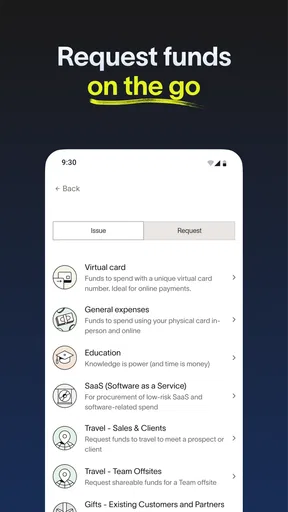
Ramp is a digital finance and expense-management platform designed to help businesses control spending, issue company cards, manage reimbursements, and monitor expenses from one place. Depending on your organization’s plan and location, it may also include budgeting tools, bill payment, travel-related features, accounting integrations, and automated reporting. It is primarily intended for companies and their employees rather than casual personal spending.
Is Ramp free to download and use?
Downloading the Ramp app is generally free, but access to its features depends on your company’s Ramp account, subscription, eligibility, and region. Some business plans may include platform fees or charges for specific services, while employees using an employer-provided account may not pay directly. Before signing up, review the current pricing, card policies, foreign transaction terms, and any applicable service fees.
Do I need an invitation from my employer to use Ramp?
In most cases, Ramp is used through a business account, so employees typically need an invitation or approval from their employer’s administrator. The app is connected to company policies, assigned cards, spending limits, approval workflows, and expense reporting rules. If you are trying to access Ramp independently, available options may vary by country, business type, and the company’s eligibility for the service.
Is Ramp safe for managing business expenses and payment cards?
Ramp includes security features intended to protect business and payment information, such as account authentication, spending controls, transaction monitoring, permission management, and card-locking options. However, no financial application is completely risk-free. Use a strong, unique password, enable available multi-factor authentication, keep your device updated, and report suspicious activity promptly. Always confirm that your company’s security settings meet your organization’s requirements.
What should I check before downloading the Ramp app?
Before downloading Ramp, confirm that your device meets the current Android or iOS requirements and that the official application is published by the correct provider. Check whether your employer supports mobile access, which permissions the app requests, and whether features differ from the web dashboard. You should also review privacy practices, notification settings, supported countries, and how receipts, location data, and financial information are handled.
